Supported Games
DashForge supports games through three paths:
- Native UDP parser: the game sends telemetry directly to DashForge.
- DashForge Bridge: a Windows companion reads game/shared-memory telemetry and forwards it to DashForge.
- DashForge SCS plugin: a native plugin sends truck simulator telemetry to DashForge.
Support Matrix
| Game | Support type | Platform notes | Setup page |
|---|---|---|---|
| Forza Horizon 6 | Native UDP parser | Configure the game to send UDP telemetry to the DashForge device IP and port. | UDP Setup |
| F1 24 | Native UDP parser | Enable UDP telemetry in the F1 game settings. | UDP Setup |
| F1 25 | Native UDP parser | Enable UDP telemetry in the F1 game settings. | UDP Setup |
| Euro Truck Simulator 2 | DashForge SCS plugin | Install the SCS plugin on macOS or Windows, then select the ETS2 profile. | ETS2 / ATS Setup |
| American Truck Simulator | DashForge SCS plugin | Install the SCS plugin on macOS or Windows, then select the ATS profile. | ETS2 / ATS Setup |
| Assetto Corsa | DashForge Bridge | Run DashForge Bridge on the Windows gaming PC and forward telemetry to DashForge. | DashForge Bridge |
| Assetto Corsa Competizione | DashForge Bridge | Run DashForge Bridge on the Windows gaming PC and forward telemetry to DashForge. | DashForge Bridge |
| Custom UDP game or tool | JSON custom profile | Import a JSON telemetry profile when the game or tool sends a known binary UDP packet. | Custom Game Profiles |
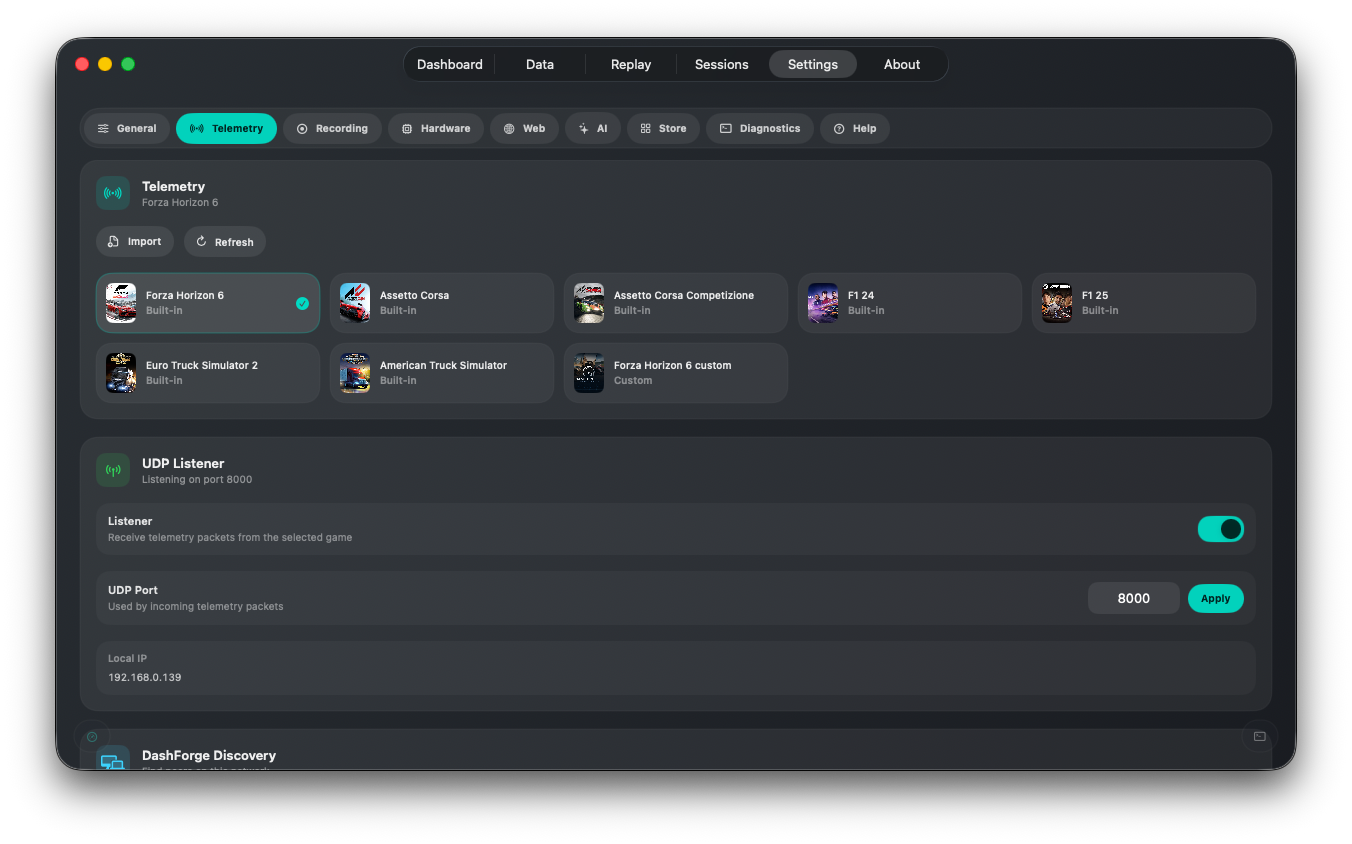
Quick Setup By Game
Forza Horizon 6
- Select
Forza Horizon 6inSettings > Telemetry. - Enable DashForge UDP listener.
- Enable UDP telemetry in the game.
- Set the destination IP to the DashForge device IP.
- Use the same port shown in DashForge.
F1 24 / F1 25
- Select
F1 24orF1 25inSettings > Telemetry. - Enable DashForge UDP listener.
- In the game, enable UDP telemetry.
- Send telemetry to the DashForge IP and port.
- Keep the packet format matched to the selected game version.
Euro Truck Simulator 2 / American Truck Simulator
- Install the DashForge SCS plugin in the game's
pluginsfolder. - Configure the plugin
host,port, andrate_hz. - Select
Euro Truck Simulator 2orAmerican Truck Simulatorin DashForge. - Enable DashForge UDP listener.
- Start driving and confirm the packet counter increases.
Assetto Corsa / Assetto Corsa Competizione
- Run DashForge Bridge on the Windows gaming PC.
- Select the matching Bridge source.
- Set Bridge host output to the DashForge device IP.
- Set Bridge port to the DashForge UDP listener port, usually
8000. - Start the Bridge and confirm packets in DashForge.
What Each Support Type Means
| Support type | What DashForge receives | Best for |
|---|---|---|
| Native UDP parser | Game telemetry packets directly from the game. | Lowest setup complexity when the game supports UDP. |
| DashForge Bridge | Raw telemetry forwarded from a Windows companion app. | Windows simulators that expose shared memory instead of direct UDP. |
| SCS plugin | Telemetry emitted by the official SCS Telemetry SDK plugin. | ETS2 and ATS on macOS or Windows. |
| Custom profile | Binary UDP packets decoded through a user JSON profile. | Community games, tools, prototypes, and custom simulators. |
If A Game Is Not Listed
You can still test it if the game or tool can send UDP packets with a stable binary format:
- Capture or document the packet layout.
- Create a JSON profile.
- Map only a few fields first: speed, RPM, gear, throttle, brake.
- Import the profile in DashForge.
- Use
Datato confirm each mapped field.
See Custom Game Profiles.