Import / Export
DashForge supports dashboard, recording, session, and asset import/export.
This system allows users to:
- backup telemetry setups
- share dashboards
- transfer layouts between devices
- distribute community templates
- restore complete cockpit configurations
Exporting Dashboards
To export a dashboard:
- Open the Dashboard library
- Select a dashboard
- Click on Export icon
DashForge generates an export package containing:
- dashboard layout
- widget configuration
- styles and themes
- associated assets
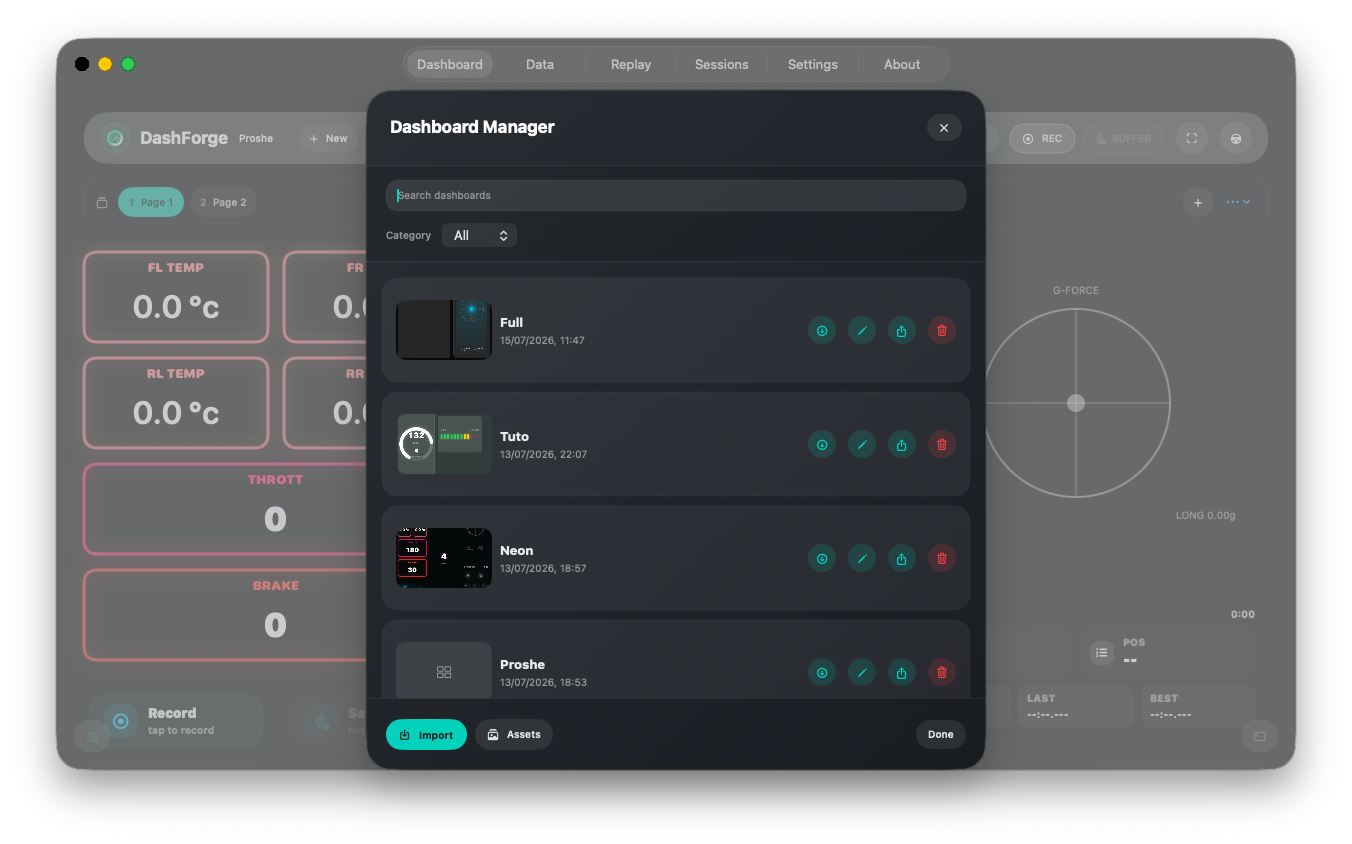
Dashboard Export Format
Dashboards are exported as JSON-based packages.
Example structure:
{
  "name": "Night Drift Setup",
  "theme": "amoled",
  "widgets": [
    {
      "type": "speedometer",
      "x": 120,
      "y": 80
    }
  ]
}
What Is Included
Dashboard exports may contain:
| Item | Included |
|---|---|
| Widget layout | Yes |
| Widget styles | Yes |
| Dashboard theme | Yes |
| Premium widget references | Yes |
| Images / assets | Optional |
| Replay files | No |
Importing Dashboards
To import a dashboard:
- Open the Dashboard library
- Choose Import
- Select a compatible dashboard file
Imported dashboards automatically restore:
- layout
- widget positions
- sizing
- theme
- styles
- telemetry bindings
Dashboard Compatibility
Older dashboard versions may not support:
- newer widgets
- premium widgets
- future telemetry systems
DashForge attempts to preserve unsupported widgets when possible.
Recording Files
Recordings use the .dfrec extension. They contain raw packet payloads, packet
timing, the game profile identifier, and optional metadata such as notes.
You can import, export, rename, annotate, delete, replay, or peer-share a recording from the Replay library. Imported recordings refresh the list automatically.
Session Packages
Sessions use .dfsession internally. Exporting or sharing a session creates a
portable .dfsessionpkg containing the session document, cached analysis, and
every linked .dfrec that is still available.
The receiving app restores relative recording links and refreshes both Sessions and Replay.
Share With Another DashForge
Dashboards, recordings, and session packages can be sent to a discovered peer. The receiver must accept before the payload is downloaded.
See Network Discovery and Sharing.
Premium Widgets
Some imported dashboards may require:
- Premium Widgets Pack
- specific telemetry fields
- compatible game profiles
Assets
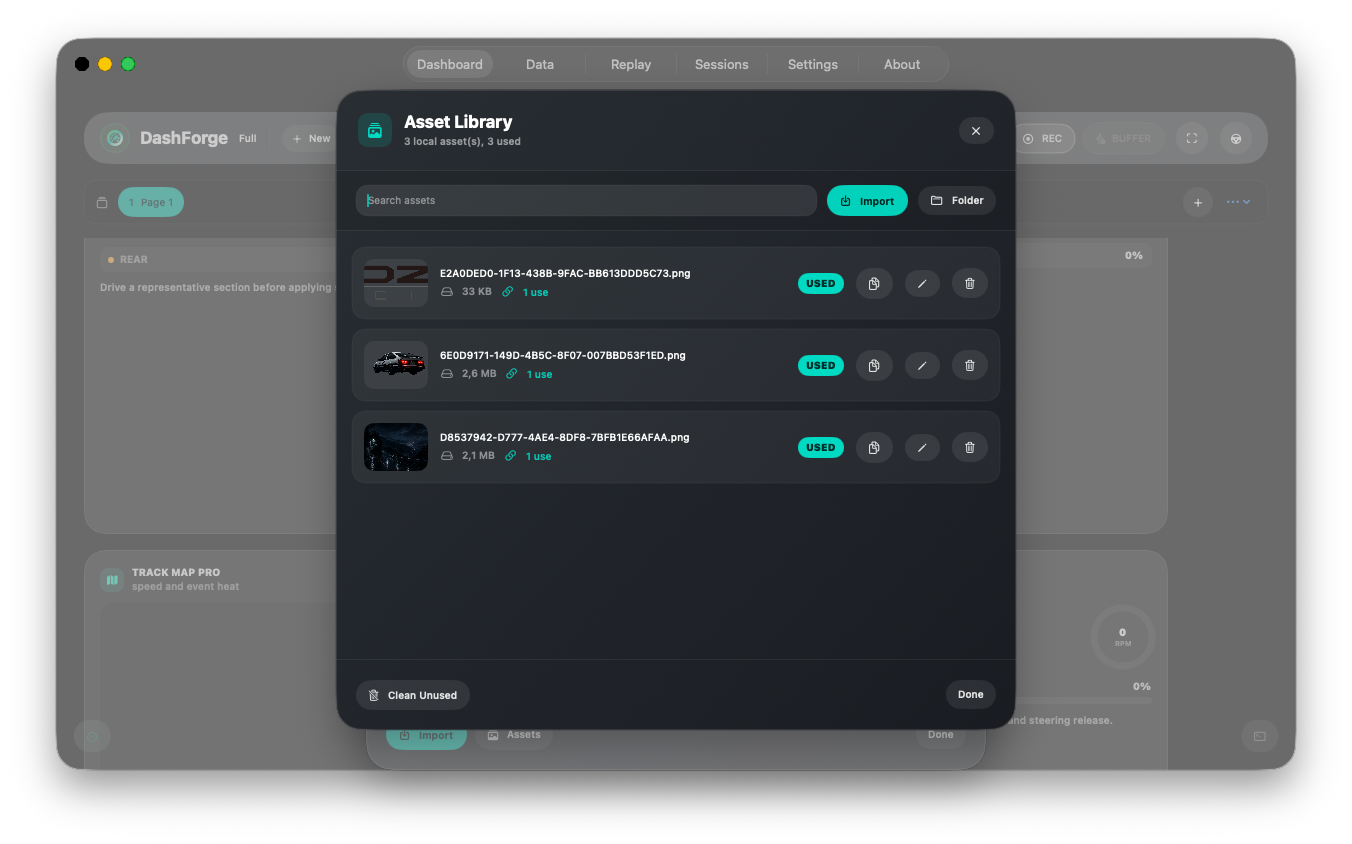
DashForge keeps dashboard images in a local Asset Library.
Assets can be used by:
- image widgets
- sticker widgets using
Image - custom page backgrounds
Open Dashboard > Library > Assets to import, preview, copy names, rename unused
assets, delete unused assets, or clean all unused files. Imported assets keep their
original filename when possible; duplicates receive a numbered suffix. Dashboard
exports automatically include the assets referenced by the exported dashboard.
Asset packs can also be installed from the in-app Store. Public packs are published next to the documentation templates:
/templates/assets/
An asset pack index item can point to one image or multiple image files. Supported formats are PNG, JPG, HEIC and WebP.
Community Templates
Community dashboard templates are available in:
/templates/dashboards/
Users can:
- share racing HUDs
- create themed dashboards
- distribute telemetry setups
- build game-specific cockpit layouts
Recommendations
For the best compatibility:
- export dashboards after major edits
- backup templates regularly
- test imported dashboards before competitive sessions
- keep game profiles updated
Backup Recommendation
It is recommended to periodically backup:
- dashboards
- templates
- replay sessions
- custom game profiles
especially before updating the app.
Content Store
DashForge 1.1.0 includes a built-in content store for dashboard templates, game profiles, sample replays and asset packs. Installed content uses the same compatibility and import paths as manually selected files.