DashForge Lab
DashForge Lab is an internal macOS test application. It replaces the standalone Python simulators with one packaged app for validating game parsers, replay timing, hardware output, and dashboard behavior.
It is a development utility, not an App Store product.
Installation
Download DashForgeLab-1.1.0.dmg from
Downloads and Companion Tools, open the DMG, then launch
DashForge Lab on macOS.
Choose the simulator tab that matches what you want to test.
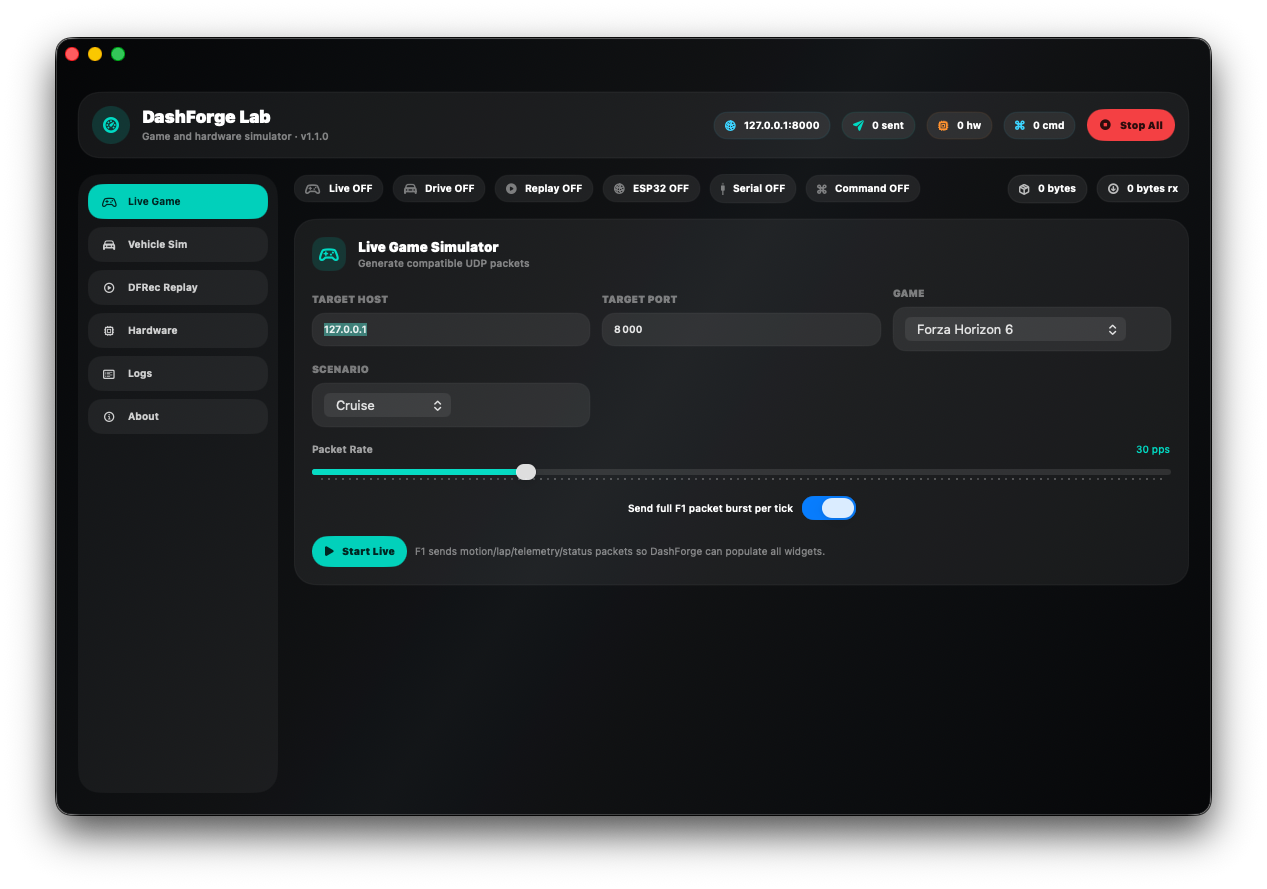
Live Game
The Live Game tab generates compatible UDP packets for:
- Forza Horizon 6
- F1 24
- F1 25
- Assetto Corsa
- Assetto Corsa Competizione
Configure target host, target port, game, scenario, and packet rate. Scenarios include cruise, hard braking, drift, and pit lane.
F1 telemetry is stateful and split across multiple packet types. Enable Send full F1 packet burst per tick when testing widgets that need Motion, Lap Data, Car Telemetry, and Car Status simultaneously. Disable it when testing packet-by-packet aggregation.
Vehicle Sim
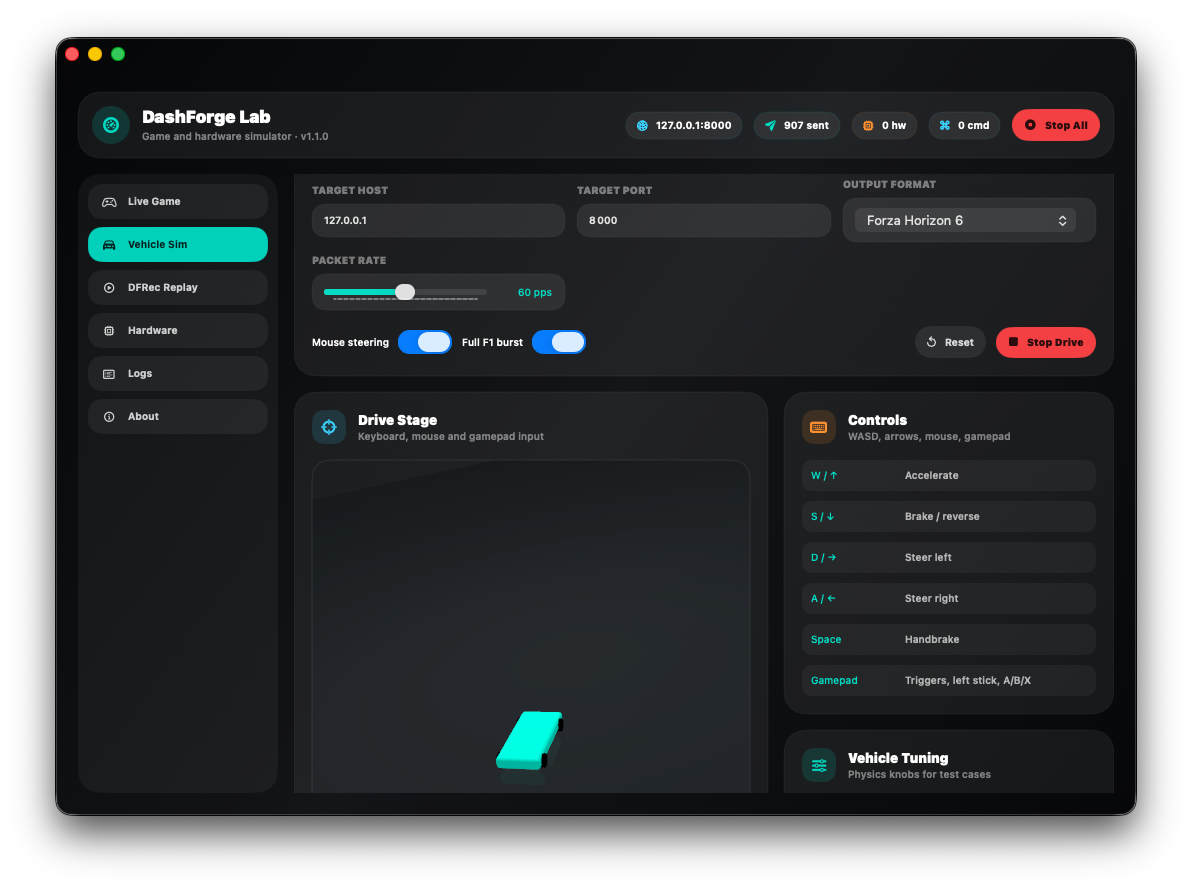
Vehicle Sim is a small generic 3D driving sandbox. It produces one internal vehicle state and serializes that state using any supported game format.
Controls:
| Input | Action |
|---|---|
W or Up Arrow | accelerate |
S or Down Arrow | brake / reverse |
A / D or Left / Right Arrow | steer |
| Space | handbrake |
| Mouse drag | steering when Mouse Steering is enabled |
| Gamepad triggers | throttle and brake |
| Gamepad left stick | steering |
| Gamepad buttons | auxiliary driving inputs |
The on-screen control labels follow the visual orientation of the 3D scene. The generated telemetry remains the source of truth when validating steering direction.
Tuning controls let you vary maximum speed, acceleration, brake force, drag, steering rate, grip, and mouse sensitivity. Use low grip and aggressive steering to generate drift/slip cases.
Select any output format and choose a packet rate from 1 to 120 packets per second. Full F1 burst has the same purpose as in Live Game.
DFRec Replay
The Replay tab sends the raw payloads stored in a DashForge .dfrec file.
Options:
- original recording timing
- replay speed multiplier
- forced packet-per-second rate
- loop playback
- target host and port
Set forced PPS to 0 to preserve original timing. A non-zero value is useful for parser stress tests and UI refresh-rate comparisons.
Hardware Simulation
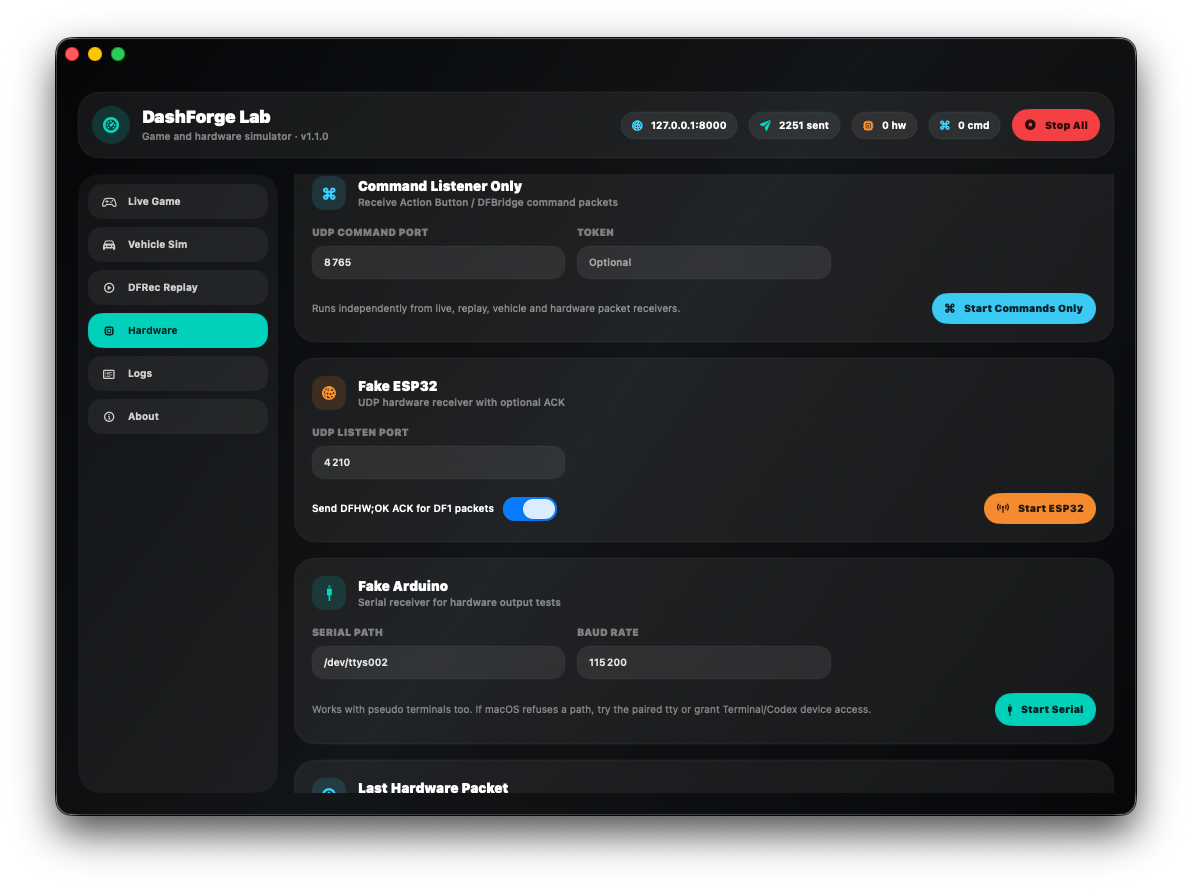
The Hardware tab can act as two receiver types:
- ESP32-style UDP receiver
- Arduino-style serial receiver
Both can return DFHW;OK acknowledgements. The status strip shows received packet count, byte size, and the latest payload, while the Logs tab keeps a bounded event history.
For UDP tests, point DashForge Hardware Output to the Lab Mac and selected port.
For serial tests, use a real /dev/cu.* device or a pseudo-terminal whose permissions allow the app to open it. A /dev/ttys* path can fail with Operation not permitted depending on macOS permissions and how the pseudo-terminal was created.
Recommended Test Recipes
Parser smoke test
- Start DashForge on
127.0.0.1:8000. - Select the same game in both apps.
- Start a 30 or 60 PPS cruise scenario.
- Verify packet count, speed, RPM, inputs, position, tyres, and timing in Data Explorer.
F1 aggregation test
- Select F1 24 or F1 25.
- Enable full packet burst.
- Run at 60 ticks per second.
- Verify that values from all packet groups update without slowing replay time.
Replay regression test
- Load a known
.dfrec. - Replay once with original timing.
- Replay again at forced 30 and 60 PPS.
- Compare DashForge UI rate, replay PPS, progress, and final telemetry values.
Hardware output test
- Start the Lab UDP or serial receiver.
- Enable Hardware Output in DashForge.
- Select a small field set such as RPM, max RPM, gear, speed, throttle, and brake.
- Confirm payload and acknowledgement counters.
Stop All
Use Stop All before changing ports or closing the Lab. It stops live generation, vehicle simulation, replay, UDP hardware reception, serial reception, and active UDP sender resources.