Stream Deck (Experimental)
DashForge includes a Stream Deck plugin source package for cockpit control, live telemetry keys, and DFBridge game inputs.
The plugin talks to DashForge through the local MCP/REST API. It is independent from the Web Builder.
What You Can Do
- toggle the UDP listener
- start or stop recording
- save the live buffer
- show or hide the performance overlay
- run garbage collection
- switch DashForge tabs
- display speed, gear, RPM, lap, position, fuel, or packet count on keys
- trigger DFBridge keyboard, mouse, or Win32 commands
Enable DashForge API
- Open DashForge.
- Go to
Settings > AI. - Enable
MCP Server. - Keep port
8791, unless you already use it. - Copy the token.
Default API base:
http://127.0.0.1:8791
Install the Plugin
Download DashForge-1.1.0.streamDeckPlugin from
Downloads and Companion Tools, then double-click it to install it
in the Stream Deck desktop app.
Configure an Action
Every action has these common fields:
| Field | Value |
|---|---|
| DashForge Host | 127.0.0.1 |
| DashForge Port | 8791 |
| MCP/API Token | token copied from Settings > AI |
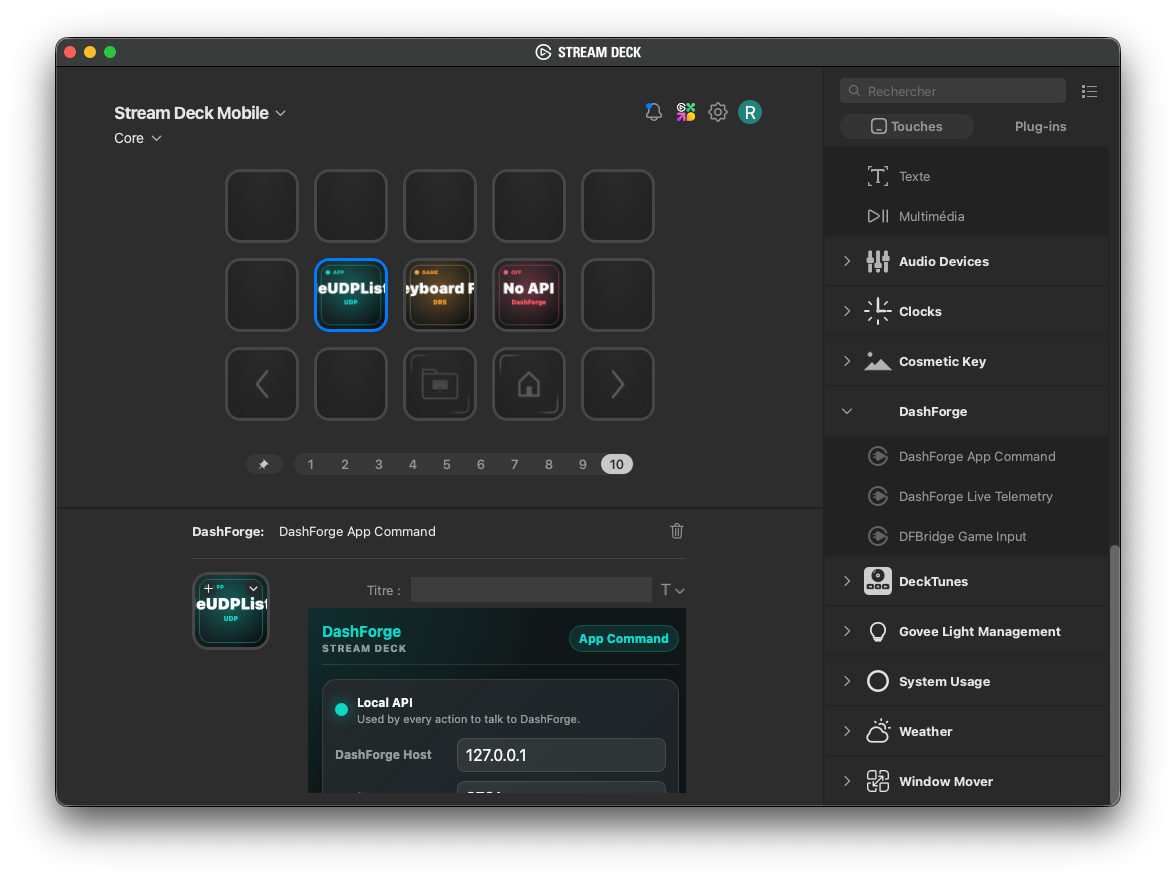
DashForge App Command Action
Use this for DashForge app control. This action does not send game input; it changes DashForge state such as UDP, recording, tabs, overlays, and maintenance.
Examples:
| Button | Command | Arguments |
|---|---|---|
| UDP | toggleUDPListener | empty |
| REC | toggleRecording | empty |
| Buffer | saveLiveBuffer | empty |
| Perf | setPerformanceOverlay | { "enabled": true } |
| GC | garbageCollect | empty |
| Data | selectTab | { "tab": "data" } |
Arguments must be valid JSON. Leave the box empty when the command has no arguments.
DashForge Live Telemetry Action
Use this for live values on keys.
Good first fields:
| Label | Field | Suffix | Decimals |
|---|---|---|---|
| SPD | speedKmh | km/h | 0 |
| GEAR | gear | empty | 0 |
| RPM | currentEngineRpm | empty | 0 |
| LAP | lapNumber | empty | 0 |
| POS | racePosition | empty | 0 |
| FUEL | fuel | % | 0 |
| UDP | packetCount | empty | 0 |
The plugin polls /api/status. The default refresh is 250 ms. Use 100-250 ms
for development or quick HUD feedback, and 500-1000 ms for values that do not
need to move quickly.
DFBridge Game Input Action
Use this for game control through DFBridge. This action always calls
sendBridgeCommand and exposes game-input fields directly.
Example DRS button:
| Field | Value |
|---|---|
| DFBridge Host | 127.0.0.1 |
| DFBridge Port | 8765 |
| Input Kind | keyboard |
| Code | F |
| Mode | tap |
| Duration ms | 80 |
DashForge sends this through the sendBridgeCommand command, so DFBridge must
be running with its command listener enabled.
gamepad is protocol-reserved for future Bridge support. The current Bridge
does not create a virtual gamepad, so Stream Deck game-control actions should use
keyboard, mouse, or Win32 inputs.
Troubleshooting
If the keys show DashForge OFF:
- confirm DashForge is running
- enable
Settings > AI > MCP Server - verify host, port, and token
- check that no firewall blocks local HTTP requests
If Bridge keys do nothing:
- start DFBridge
- enable its command listener
- verify the command port, usually
8765 - confirm the code matches the selected input kind